GH-600 (GitHub Certified: Agentic AI Developer) の試験範囲には、GitHub Agentic Workflows も含まれているっぽいです。
これまでちゃんと GitHub Agentic Workflows を使っていなかったため、今回改めて学習してみることにしました。
ドキュメント類
GitHub Agentic Workflows とは
GitHub Agentic Workflows は、GitHub Actions のワークフローを介して AI エージェントを実行するための仕組みです。
自動化の構成を Markdown 形式で記述し、コマンドでコンパイルしてワークフローを生成します。
構成
Markdown ファイルは2つの要素で構成されます。
- YAML 形式の Frontmatter
- Markdown 形式の本文
YAML 形式の Frontmatter
ワークフローが実行されるタイミング、ワークフローが持つ権限、および許可される書き込み操作を設定します。
--- で囲みます。
| キーワード | 説明 |
|---|---|
description |
ワークフローの説明を設定 |
on |
ワークフローが実行されるトリガーを指定 |
permissions |
ワークフローが持つ権限を指定 |
tools |
使用するツールを指定 |
safe-outputs |
安全に出力される値を指定 |
source |
ワークフローの参考のソースを指定 |
例 (githubnext/agentics/repo-status)
description: |
  This workflow creates daily repo status reports. It gathers recent repository
  activity (issues, PRs, discussions, releases, code changes) and generates
  engaging GitHub issues with productivity insights, community highlights,
  and project recommendations.

on:
  schedule: daily
  workflow_dispatch:

permissions:
  contents: read
  issues: read
  pull-requests: read

  copilot-requests: none
network: defaults

tools:
  bash: ["cat", "ls", "find", "grep", "head", "tail", "wc"]
  github:
    # If in a public repo, setting `lockdown: false` allows
    # reading issues, pull requests and comments from 3rd-parties
    # If in a private repo this has no particular effect.
    lockdown: false
    min-integrity: none # This workflow is allowed to examine and comment on any issues

safe-outputs:
  mentions: false
  allowed-github-references: []
  create-issue:
    title-prefix: "[repo-status] "
    labels: [report, daily-status]
    close-older-issues: true
source: githubnext/agentics/workflows/repo-status.md@4bc8419fad05e6b032741cbfd189986700bcf71c
本文 (Markdown形式)
AI エージェントに対する指示を記述します。
例 (githubnext/agentics/repo-status)
# Repo Status

Create an upbeat daily status report for the repo as a GitHub issue.

## What to include

- Recent repository activity (issues, PRs, discussions, releases, code changes)
- Progress tracking, goal reminders and highlights
- Project status and recommendations
- Actionable next steps for maintainers

## Style

- Be positive, encouraging, and helpful 🌟
- Use emojis moderately for engagement
- Keep it concise - adjust length based on actual activity

## Process

1. Gather recent activity from the repository
2. Study the repository, its issues and its pull requests
3. Create a new GitHub issue with your findings and insights
サポートしているエージェント
- GitHub Copilot
- Claude Code
- OpenAI Codex
- Google Gemini
- Pi
作り方
GitHub CLI でワークフローを作成・実行します。
インストール
gh extension install github/gh-aw
初期化
リポジトリにおける Agentic Workflows を初期化します。
gh aw init
.github/skills/agentic-workflows/SKILL.md: Agentic Workflows のスキルファイル.vscode/settings.json: Markdown で GitHub Copilot を有効にする VS Code 設定.gitattributes: リポジトリの言語統計にロックファイルを含まない設定
作成
上記の初期化はせずに、プロンプトでワークフローを生成したほうが良さそうです。
ドキュメントの例が参考になります。
Create a workflow for GitHub Agentic Workflows using https://raw.githubusercontent.com/github/gh-aw/main/create.md

The purpose of the workflow is to triage new issues: label them by type and priority, identify duplicates, ask clarifying questions when the description is unclear, and assign them to the right team members.
https://raw.githubusercontent.com/github/gh-aw/main/create.md を参照させるとよいらしい。
コンパイル
gh aw compile
Markdown ファイルを書いてコンパイルすると .lock.yml ファイルが生成され、これがワークフローとして実行できるようになります。
実行
gh aw run <workflow-name>
作成したワークフローを実行します。
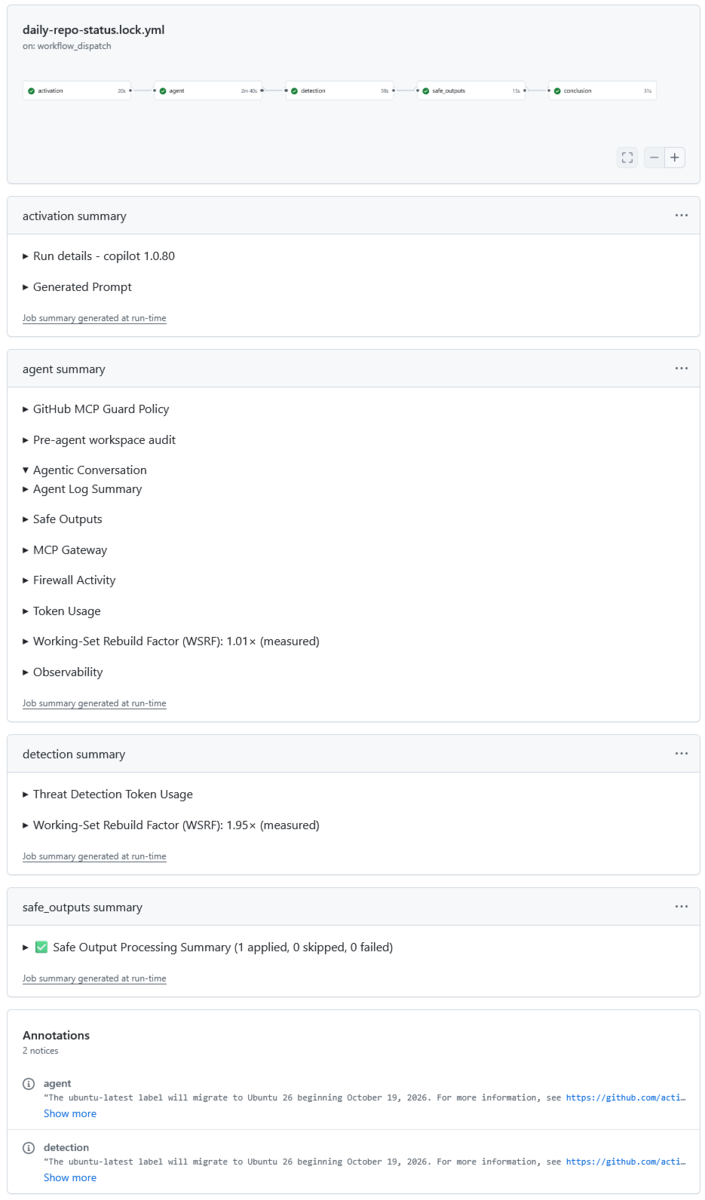
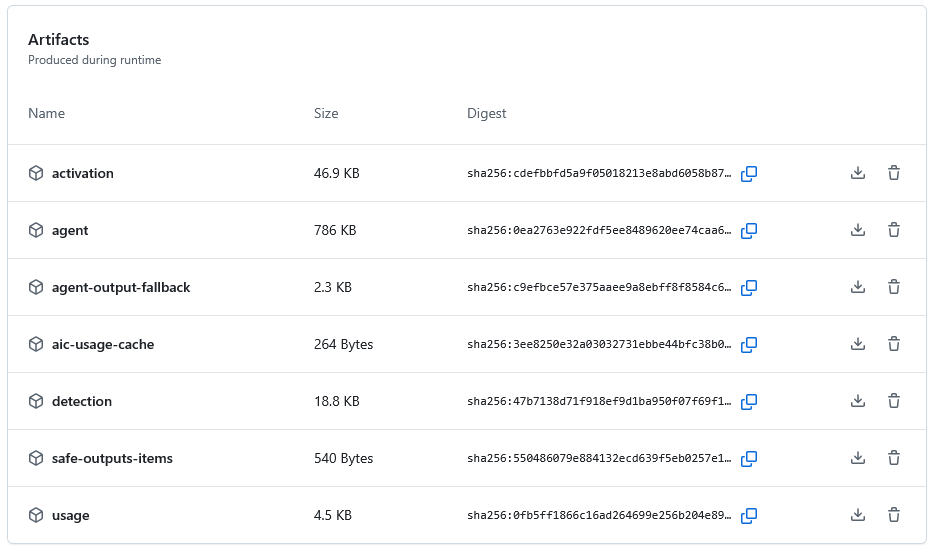
実行すると、ジョブサマリーに結果が表示され、Artifacts が生成されます。